Find the budget problem
before the invoice does.
Set project hour budgets, choose the alerts you need, and spot work that needs attention while there’s still a decision to make.
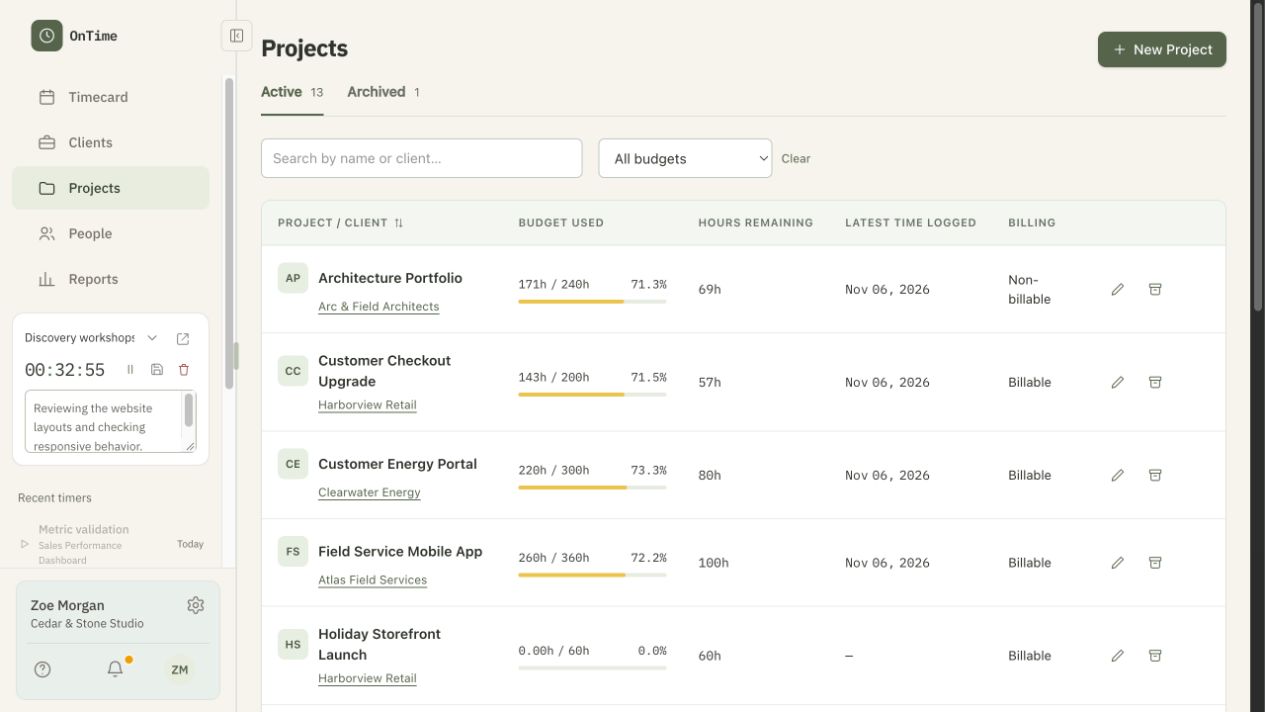
A little more visibility.
A much earlier conversation.
Imagine a client project with an 80-hour budget. With 60 hours recorded, a 75% alert gives you a reason to look at the remaining work.
You can decide whether to adjust the scope, talk to the client or change the budget. The alert starts the conversation; it doesn’t make that decision for you.
Set the boundaries.
Let OnTime watch the hours.
Budgets work best when they reflect the way your projects run. Configure project hour budgets, reset periods and alert rules around your own working arrangements.
Recorded time gives you the picture so far. OnTime does not promise that an alert will prevent an overrun or predict the final cost of a project.
Choose a project budget.
Give the team a clear hour allowance for the work.
Configure the alerts.
Choose when you want to know that recorded time needs attention.
Look at the work behind the total.
Review the time records and decide what needs to happen next.
Useful beyond a single deadline.
Whether you’re watching a one-off client project or a recurring body of work, clear hour budgets make it easier to compare the allowance with the time your team records.
Keep a closer eye on your next project.
Try OnTime with your team. Tell us what works and what could work better.
Join the beta60 days of unlimited access with our beta trial code. No credit card required.